Manage members
Search, edit, add and remove members, and see their spend.
Owners and managers
- In Admin, go to People › Members.
- Search by name, barcode or mobile, or tap Add Member.
- Tap a member to open Member Details.
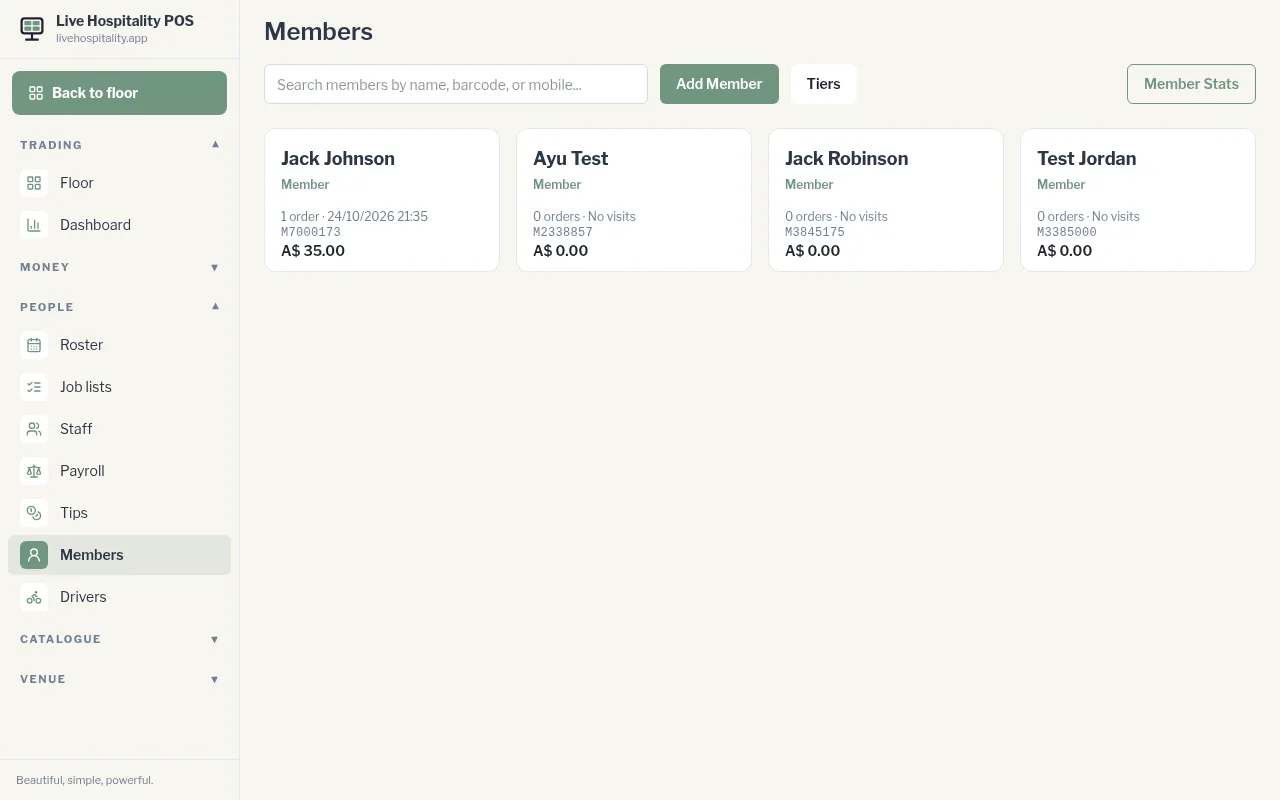
In Member Details you can:
- change their First Name, Last Name, Mobile, Email, Barcode and Tier, then tap Update Profile
- see their orders, total spend and last visit
- tap Show card link to see their member card QR code, Copy link, or Print QR
Member stats
Tap Member Stats for totals across all members, including spend in the Last 30 days and each member's orders, spend and last visit.
Delete a member or erase their data
- Open the member and tap Delete.
- Choose: - Delete member: removes them. Past orders stay on the till. - Erase data instead, then Erase personal data: wipes their name, mobile, email and card for good. Use this for a privacy request. Sales keep their totals.