Split a bill by items
Let each guest pay for exactly what they had.
Bar and floor staff
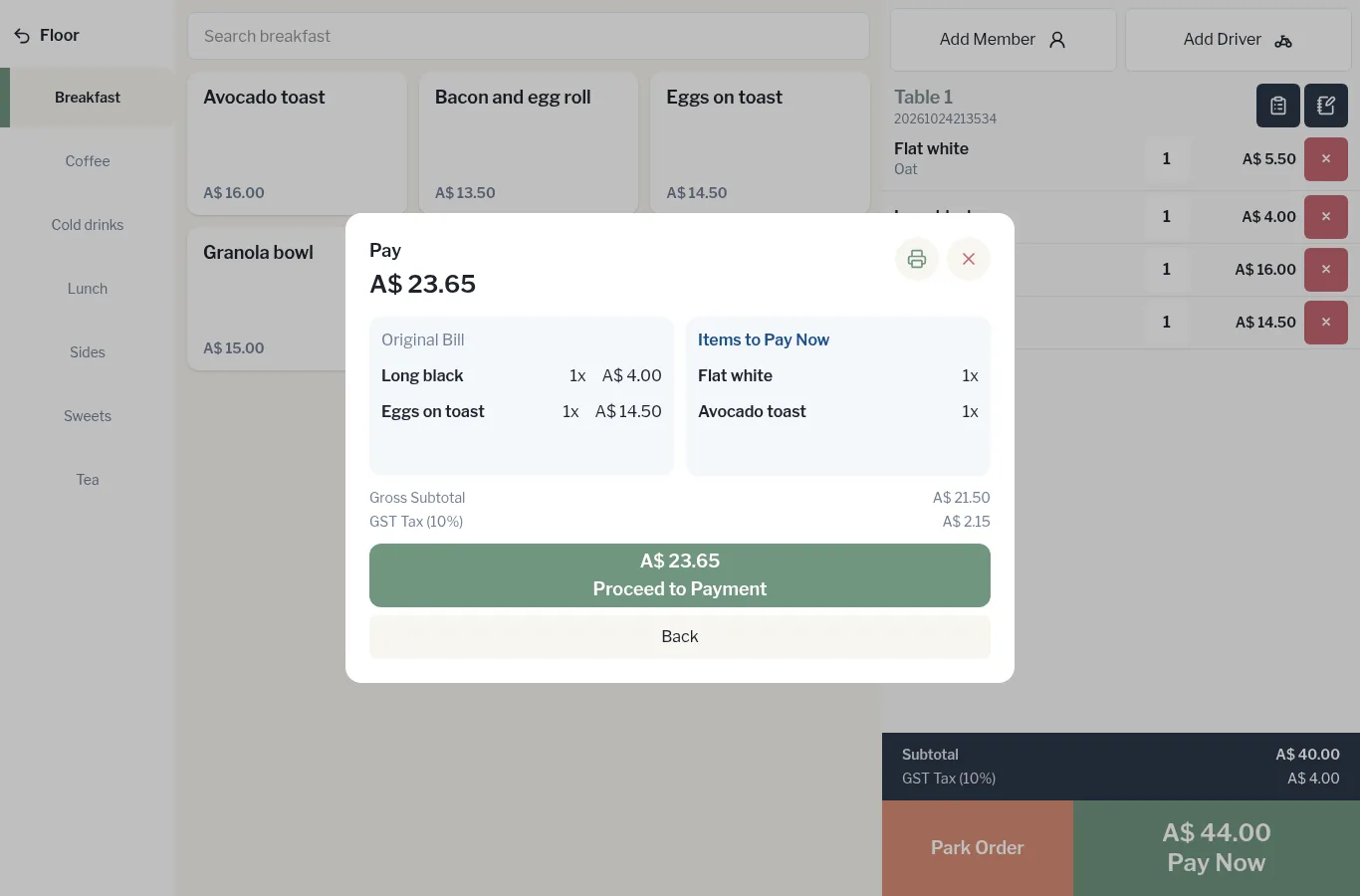
- Tap Pay Now, then Split by Items.
- The left side shows the Original Bill. Tap the items this guest is paying for. They move across to Items to Pay Now.
- Check the Gross Subtotal and tax, then tap the green button showing the amount and Proceed to Payment.
- Take the payment by cash or card.
- Repeat for the next guest.