Log petty cash in or out
Record cash taken from or put into the drawer, with a category and receipt photo.
Bar and floor staff, managers
Use petty cash whenever money leaves or enters the drawer for something that isn't a sale, like buying milk from the shop or topping up the float.
- Tap Till in the top bar, then Log Petty Cash.
- Choose Cash Out (money taken from the drawer) or Cash In (money added).
- Pick a Category.
- Key in the Amount.
- Add a Description, for example “2L milk, corner shop”.
- Optional but recommended: tap Add photo to take a picture of the receipt.
- Tap Submit Petty Cash.
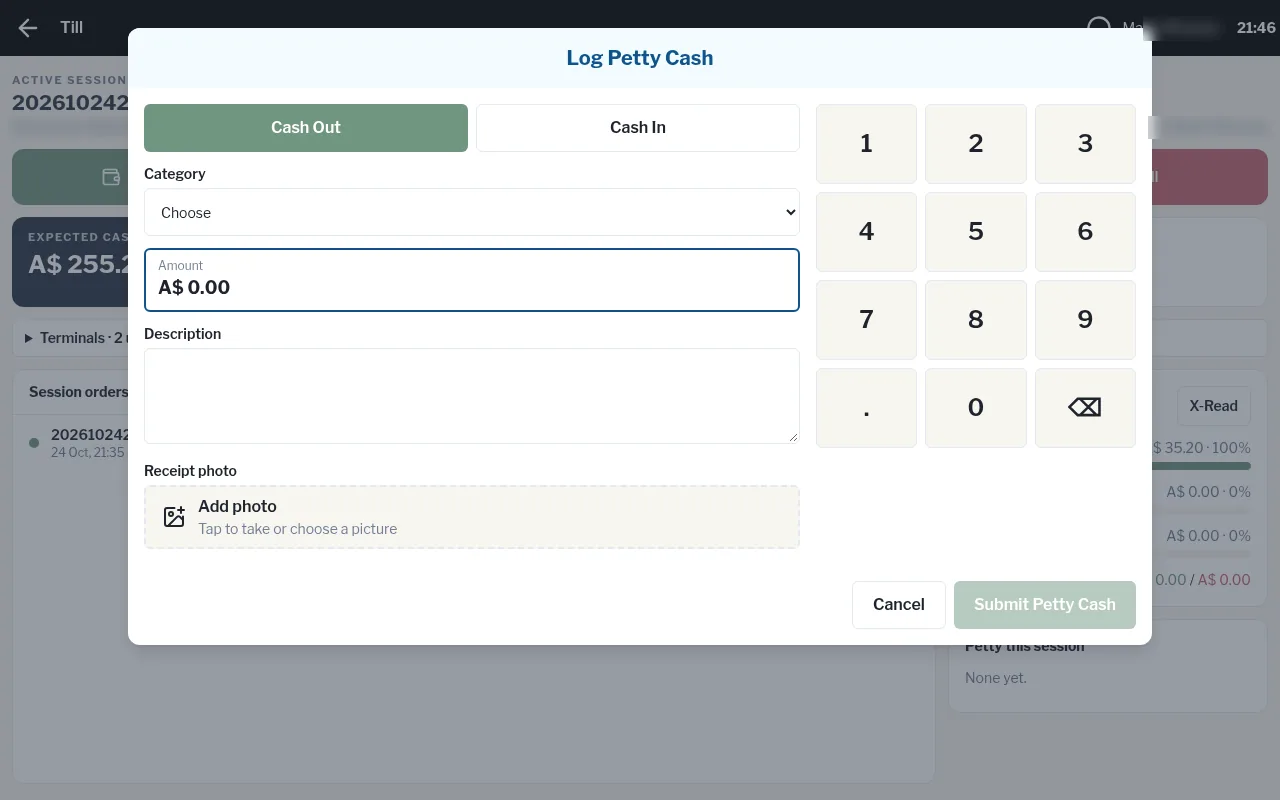
The drawer's Expected cash updates straight away, and the entry appears under Petty this session.