The Till screen explained
What everything on the Till screen means while a session is open.
Everyone
Tap Till in the top bar any time to see how the current session is going.
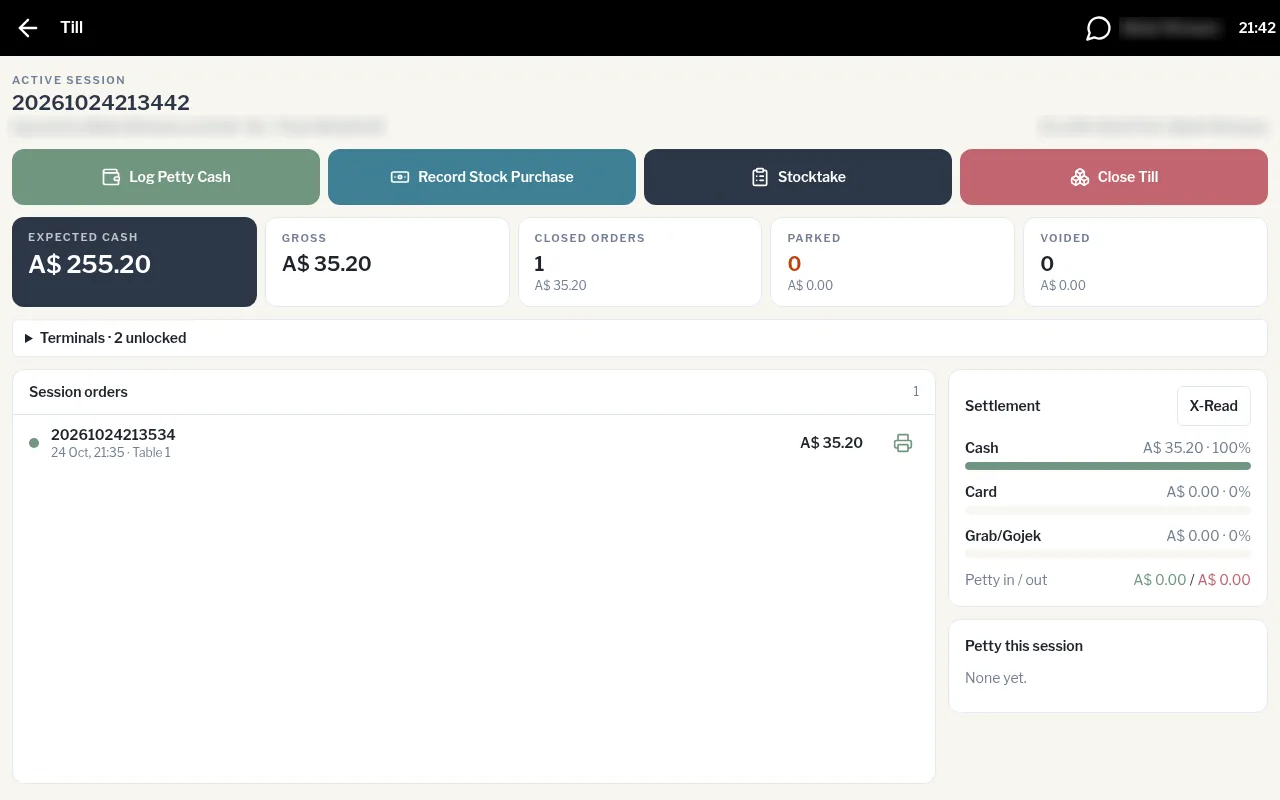
Across the top
- Active session: the session number, who opened it and when, and the float.
- On shift: everyone clocked in right now.
- Buttons: Log Petty Cash, Record Stock Purchase, Stocktake and Close Till.
The figures
| Tile | What it shows |
|---|---|
| Expected cash | Float, plus cash taken, plus petty cash in, minus petty cash out. This is what should be in the drawer. |
| Gross | Total sales this session. |
| Closed orders | Paid orders, with their value. |
| Parked | Orders still open on tables. |
| Voided | Voided orders, with their value. |
Session orders and settlement
- Session orders lists every paid order. Tap one to see its Sale Details, or tap the printer icon to reprint the receipt.
- Settlement shows how the money came in (Cash, Card, Grab/Gojek) and the Petty in / out. The X-Read button prints a mid-shift report.
- Petty this session lists each petty cash entry.
Terminals (owners and managers)
Owners and managers also see Terminals, a list of every unlocked device. See Manage unlocked terminals.